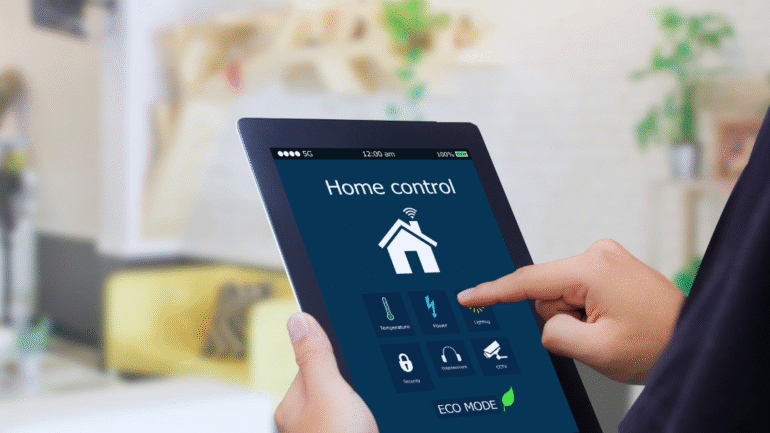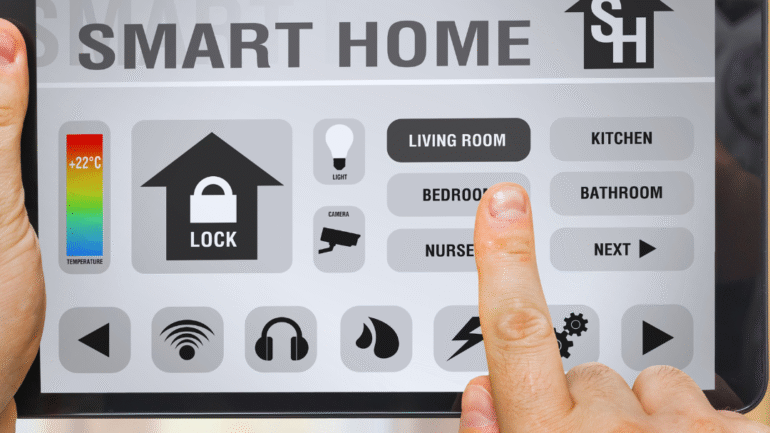
A smart home dashboard serves as the central command for managing connected devices, enhancing convenience and efficiency in daily life. To successfully build a smart home dashboard, one should prioritize user-friendly design, ensuring easy access to essential features and real-time data from various smart home devices. This approach enables seamless integration and control over everything from lighting to security systems.
DIY enthusiasts will appreciate the flexibility that comes with creating a customized dashboard tailored to their needs. By selecting the right platform and understanding the functionalities of their devices, they can craft a solution that maximizes both aesthetics and usability. Knowing how to incorporate smart home technology efficiently can lead to an improved living environment.
As technology continues to evolve, designing a smart home dashboard becomes increasingly important for those looking to streamline their home automation experience. With the right tips and resources, anyone can take on this project and elevate their smart home capabilities.
Selecting the Right Platform and Ecosystem
Choosing the right platform and ecosystem is crucial for an effective smart home dashboard. It influences compatibility, ease of use, and functionality. Understanding the options available can streamline the setup process and enhance the experience.
Comparing Popular Dashboard Platforms
Several platforms offer smart home dashboard capabilities. Home Assistant is well-known for its extensive customization options, allowing users to tailor their dashboard to individual needs. Apple Home integrates seamlessly with iOS devices, prioritizing security and user-friendliness.
Google Home provides excellent voice control features through Google Assistant, making it an attractive choice for those already invested in Google services. Samsung SmartThings is appealing for its wide device compatibility and robust automation features. Each platform has strengths, so it’s important to consider personal preferences and existing devices.
Evaluating Device Compatibility
Device compatibility directly impacts a smart home dashboard’s functionality. A platform that supports a variety of devices ensures a smoother integration process. For example, Home Assistant supports thousands of devices, making it suitable for extensive setups.
In contrast, Amazon Alexa and Google Nest excel in voice-activated controls but may have limited support for certain third-party devices. This can restrict users who prefer diverse brands. Users should create a list of their existing devices and check compatibility with the chosen platform to avoid future issues.
Choosing Between Local and Cloud Solutions
Deciding between local and cloud solutions is essential for performance and privacy. Local solutions, like Home Assistant, offer faster response times since they process data on-site. They also enhance privacy by reducing reliance on third-party servers.
Cloud solutions, such as those from Google Home or Apple Home, provide remote access and easier updates. However, this requires a stable internet connection and introduces privacy concerns. Weighing the pros and cons of each option according to personal needs will guide users in making the best choice.
Smart Device Integration and Network Planning
Integrating smart devices into a cohesive system requires careful selection and planning. Proper network setup ensures devices communicate effectively, maximizing functionality. Various components interact, contributing to a seamless smart home experience.
Choosing Essential Devices
Selecting the right devices is crucial. Prioritize core functionalities that enhance daily life. Common choices include smart thermostats, security cameras, and voice assistants.
- Smart Thermostats: These devices can adjust temperature settings based on user preferences and schedules, leading to energy savings. Popular options include the Google Nest and Ecobee.
- Security Cameras: They offer peace of mind through surveillance and remote monitoring. Look for models compatible with other devices and offering cloud storage.
- Voice Assistants: Options like Amazon Alexa and Google Home allow for voice control of devices and integration with various ecosystems.
Choosing devices that work well together enhances user experience. Focus on compatibility and functionality.
Setting Up a Robust Smart Home Network
A strong network is foundational to successful smart home integration. Start by selecting a high-speed internet connection capable of handling multiple devices.
- Router Quality: Invest in a router that supports both 2.4 GHz and 5 GHz bands. This enables a stable connection for various devices, reducing interference.
- Placement: Position the router centrally to maximize coverage. Avoid barriers that can weaken signals, like thick walls or metal objects.
- Security: Change default passwords and enable WPA3 encryption to protect the network from unauthorized access.
Ensure devices are within range of the router for consistent connectivity. Regular updates help maintain network security.
Understanding Hub and Voice Assistant Integration
A smart home hub can streamline device management. Hubs bridge the gap between devices that might not directly communicate.
- Compatibility Check: Verify that the hub supports devices like smart thermostats and security cameras. This prevents compatibility issues.
- Voice Assistant Functionality: Integrate a voice assistant for hands-free control. Smart hubs often work with platforms like Amazon Alexa and Google Home, allowing voice commands to control devices.
- Automation: Leverage hub capabilities to create automation routines. This enhances user convenience, such as setting lights to turn on at sunset or adjusting the thermostat when leaving home.
Proper integration makes for a flexible and user-friendly smart home setup.
Designing and Customizing Your Smart Home Dashboard
Creating an effective smart home dashboard requires careful consideration of its design and customization. The focus should be on enhancing usability and ensuring that each element serves a clear purpose.
Building an Intuitive User Interface
An intuitive user interface (UI) is essential for any smart home dashboard. It should prioritize user experience by featuring a clear layout and easily accessible controls. Key elements include:
- Navigation: Use tabbed menus or sidebars for quick access to different sections.
- Icons: Incorporate recognizable icons to help users quickly identify functionalities.
- Feedback: Provide visual cues, such as color changes or animations, to indicate active functions.
The use of YAML can streamline configuration for items in the UI, allowing users to tailor their home assistant dashboard directly to their needs.
Customizing Widgets and Layouts
Customization is key to creating a dashboard that meets individual needs. Widgets should be tailored to display relevant information efficiently. Important aspects include:
- Selecting Widgets: Focus on gadgets that provide essential data, such as temperature, humidity, or security alerts.
- Arrangement: Position frequently accessed controls in prominent locations to reduce navigation time.
- Size and Color: Adjust widget size and use color coding to prioritize alerts and statuses visually.
Users can manipulate these elements to create a personalized experience. Leveraging existing templates or frameworks can also accelerate the design process.
Applying Best Practices in UX and Visual Design
Paying attention to UX and visual design can significantly enhance a smart home dashboard. Best practices include:
- Consistency: Maintain uniformity in font and color schemes to create a cohesive look.
- Whitespace: Utilize whitespace to avoid clutter and enhance readability.
- Accessibility: Ensure that contrast ratios meet standards for visibility, especially for users with visual impairments.
Creating a hierarchy of information helps guide users’ attention to critical areas first. This fosters an efficient use of space and attention in a DIY smart home setup.
Testing Across Devices
Testing a smart home dashboard across various devices is crucial for ensuring compatibility. Considerations include:
- Screen Sizes: Ensure the UI adjusts appropriately for mobile, tablet, and desktop views.
- Performance: Monitor loading times and responsiveness across devices.
- Functionality: Verify that all features work seamlessly regardless of the platform.
Testing in real-world scenarios allows for the identification of potential user frustrations. Ongoing adjustments based on user feedback can further optimize the experience.
Creating Automations and Advanced Features
Creating a smart home dashboard becomes significantly more powerful with automations and advanced features. These elements allow for enhanced control and integration of various smart home devices, making everyday tasks easier and more efficient.
Configuring Automations and Scenes
Automations in a smart home can trigger actions based on specific conditions. For example, users can set lights to turn on when they arrive home or have the thermostat adjust when they go to bed.
To configure these automations, most platforms provide a user-friendly interface. Users should look for options to select conditions (e.g., time of day, device status, or location) and corresponding actions.
A sample automation setup might look like this:
|
Condition |
Action |
|
Motion detected |
Turn on the lights |
| Sunset |
Lock doors |
| Temperature below 68°F |
Adjust thermostat |
Users can also create scenes that set multiple devices to predefined states. For instance, a “Movie Night” scene could dim the lights, close the blinds, and turn on the TV—all with a single command.
Integrating Voice Control and Assistants
Integrating voice control significantly enhances a smart home dashboard’s usability. Systems like Amazon Alexa and Google Home allow users to operate devices hands-free.
To enable voice control, ensure the devices are compatible with the chosen voice assistant. Users can set up voice commands through the respective app, making it easy to give instructions like “Turn off the bedroom lights” or “Set the thermostat to 72 degrees.”
Keep in mind that creating routines in these voice systems is beneficial. They can automate multiple tasks with one command. For example, a morning routine could include turning on lights, playing the news, and adjusting the thermostat.
Ensuring Security and Privacy
Maintaining security and privacy in a smart home is essential. Start by securing all connected devices with strong, unique passwords and enabling two-factor authentication where possible.
Regularly updating device firmware can prevent vulnerabilities. Users should also review privacy settings for each device, ensuring that data sharing aligns with their preferences.
In addition, utilizing security cameras and motion sensors can enhance safety. Notifications can be set up to alert users of any unusual activity. Incorporating these measures provides peace of mind and safeguards against potential intrusions.