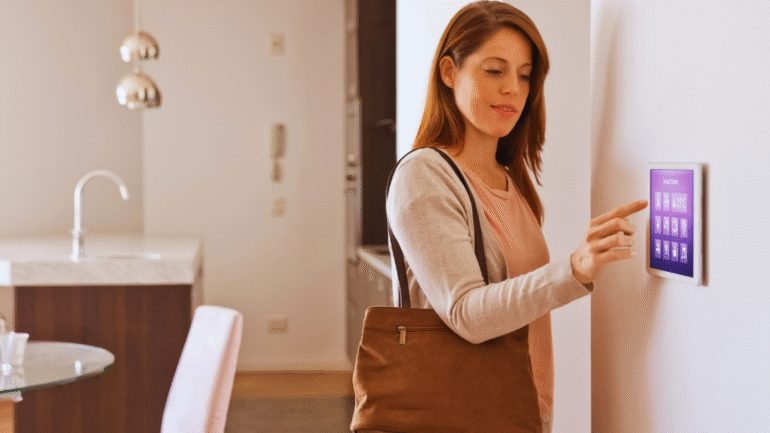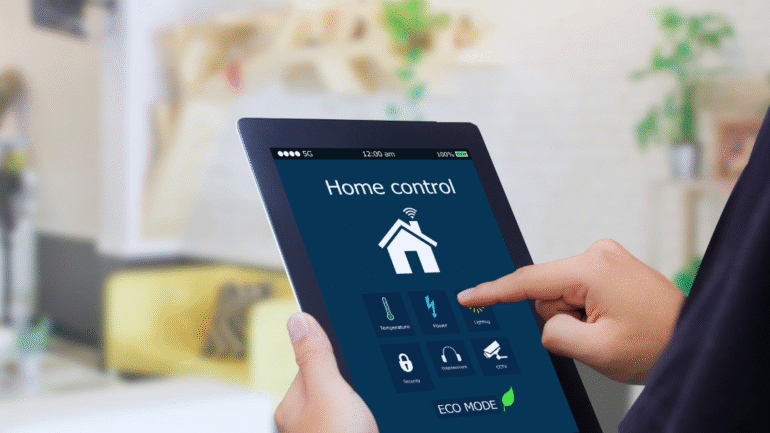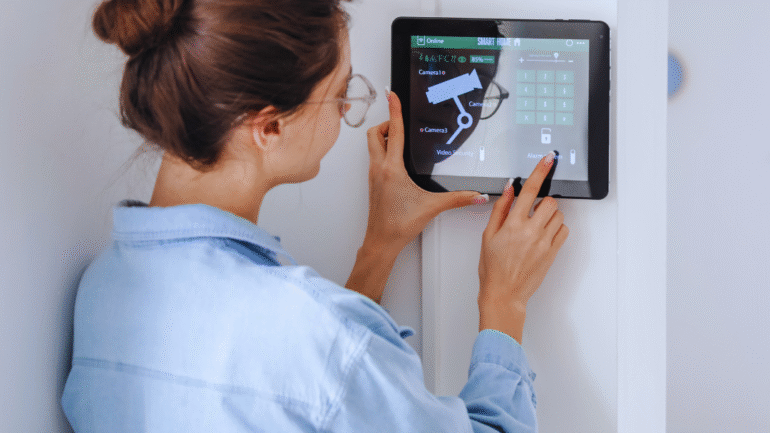
As more people embrace technology in their daily lives, smart home security has become an essential consideration. With a multitude of devices available, beginners may feel overwhelmed when attempting to establish a secure smart home environment. Implementing a few basic strategies can significantly enhance home security, providing peace of mind for new users.
Understanding the core components of smart home security systems is crucial for effective protection. From video doorbells to smart locks, each device plays a vital role in safeguarding a home. Integrating these tools with a reliable network not only strengthens security measures but also simplifies the management of home safety.
Taking proactive steps such as regularly updating device software and utilizing strong passwords can prevent potential breaches. By prioritizing these practices, individuals can create a safe and secure smart home that deters intruders while allowing for convenient home monitoring.
Choosing and Setting Up Smart Home Security Essentials
When establishing a smart home security system, it’s essential to select the right ecosystem and devices tailored for your needs. Consideration of automation and integration into existing systems can enhance security and convenience.
Selecting the Right Smart Home Ecosystem
Choosing a smart home ecosystem is foundational for security setup. Popular options include Amazon Alexa, Google Home, and Apple HomeKit.
- Amazon Alexa offers a wide range of compatible devices, making integration straightforward.
- Google Home excels in voice commands and streamlined automation.
- Apple HomeKit provides robust security features, appealing to Apple users.
Each ecosystem has unique strengths. As such, he or she should prioritize compatibility with selected devices and user experience when making a choice.
Essential Smart Security Devices for Beginners
Beginners should invest in key smart security devices to create a comprehensive system. These may include:
- Smart locks for keyless entry, enhancing convenience and security.
- Security cameras for real-time monitoring and recorded footage.
- Video doorbells to see and communicate with visitors remotely.
Other useful devices are motion detectors and door/window sensors, which alert homeowners to potential breaches. Integrating all these devices can significantly boost security without overwhelming the user.
Integrating Smart Locks and Keyless Entry
Smart locks and keyless entry systems offer significant advantages in home security. He or she can easily manage access through mobile apps, providing control over entry points.
Smart locks often feature:
- Remote locking/unlocking capability.
- Audit logs to track who accessed the home.
Many models integrate with smart home ecosystems like Amazon Echo or Google Nest Hub, offering voice control. This adds convenience and enhances security through automatic locking features.
Basics of Home Automation for Security
Home automation for security involves interconnected devices that work seamlessly to protect a home. Automated lighting systems, such as Philips Hue, can simulate presence by turning lights on and off.
In addition to lighting, smart plugs can control appliances remotely. This custom setup can deter intruders by creating the illusion of occupancy.
Furthermore, smart thermostats can aid in security by regulating temperature when no one is home. Combining these elements creates an adaptable security environment tailored to individual preferences.
Securing Your Smart Home Network and Devices
Establishing a secure smart home network is fundamental for protecting devices and personal information. This involves implementing best practices for Wi-Fi security, user authentication, and choosing the appropriate connectivity protocols.
Best Practices for Home Wi-Fi Network Security
To begin with, safeguarding the home Wi-Fi network is essential. Changing the default SSID and password is a critical first step. This prevents unauthorized access that often exploits factory settings.
Additional measures include:
- Enabling WPA3 encryption: This is currently the most secure Wi-Fi encryption standard.
- Regular firmware updates: Keeping the router’s firmware updated protects against vulnerabilities.
- Disabling WPS: Wi-Fi Protected Setup may create vulnerabilities and should generally be turned off.
These actions enhance overall network security and reduce risks associated with smart devices.
User Authentication and Privacy Measures
User authentication is vital in smart home security. Implementing strong, unique passwords for each device helps prevent unauthorized access. Additionally, enabling two-factor authentication (2FA) provides another security layer.
Utilizing apps and platforms that offer end-to-end encryption can protect data transmitted between devices. It’s advisable for users to review device privacy settings regularly.
Key practices include:
- Using password managers: This helps store and generate complex passwords.
- Limiting device permissions: Only grant necessary access to applications, minimizing data exposure.
Taking these steps enhances privacy and ensures better control over smart home technology.
Choosing Networks and Protocols: Wi-Fi, Zigbee, Z-Wave
Selecting the right connectivity protocols is crucial for smart home efficiency and security. The most common options include Wi-Fi, Zigbee, and Z-Wave.
Comparison of these options:
|
Protocol |
Range | Speed | Use-case |
|
Wi-Fi |
Up to 300 ft | High | Streaming devices |
| Zigbee | Up to 100 ft | Low to Medium |
Sensors, lights |
| Z-Wave | Up to 300 ft | Low |
Home automation |
Wi-Fi is suitable for high-bandwidth devices but can be more susceptible to attacks. In contrast, Zigbee and Z-Wave focus on low-energy, secure communications, ideal for smart home sensors. Understanding these differences helps users make informed choices for their smart home systems.
Maximizing Safety, Efficiency, and Everyday Value
Smart home security systems not only protect property but also enhance efficiency and provide convenience. By leveraging technology, users can maximize safety and reduce costs while navigating potential challenges.
Remote Monitoring and Real-Time Alerts
Remote monitoring allows homeowners to check their properties from anywhere using mobile apps. Many systems offer real-time alerts to notify users of any suspicious activities.
Key features include:
- Live video feeds from security cameras
- Motion detection alerts
- Two-way audio for communication
These features enhance situational awareness, allowing users to respond promptly to potential threats. Notifications can be customized, ensuring that users receive relevant alerts without unnecessary distractions.
Professional Monitoring Services
Engaging with professional monitoring services adds an extra layer of security. Experts monitor alarm systems 24/7, ensuring immediate response in case of emergencies.
Benefits of professional monitoring include:
- Immediate contact with emergency services
- Regular equipment checks to ensure functionality
- Expert support and advice
While some may perceive this as an added expense, the peace of mind provided often outweighs the costs. Knowing that trained professionals are overseeing safety can significantly enhance security measures.
Energy Efficiency and Cost Savings
Smart home automation can lead to significant energy savings. Security systems can be integrated with other smart home devices to optimize energy usage.
Potential savings can include:
- Automated lighting to deter intruders
- Smart thermostats that adjust settings based on occupancy
- Energy-efficient security cameras with low power consumption
Using these technologies can lead to reduced utility bills while enhancing security. Investing in energy-efficient systems ultimately contributes to a more sustainable living environment.
Overcoming the Learning Curve
Adopting a smart home security system does come with a learning curve. Familiarizing oneself with the technology is crucial for maximizing its benefits.
Strategies to overcome challenges include:
- Educational resources provided by manufacturers
- Community forums for user experiences and advice
- Step-by-step setup guides
By dedicating time to learn and adapting to the system, users can fully harness its capabilities and enjoy the convenience and efficiency it offers. Embracing this technology ultimately enhances overall home security.